Show what you know, every week,
without writing every post.
For accountants, consultants, architects, designers and other advice-led firms. Posts are clear and expert, and lean on LinkedIn. Law firms and financial advisers choose their own, stricter industry in setup.
In setup, choose “Professional Services” as your industry.
Every business follows the same steps: set up, plan, write, approve and publish. See how it works

Your weekly plan
 Google Business Profile2
 Facebook2
 Instagram2
 LinkedIn3
Posts a week by default
Sample pictures for invented businesses. The photographs are AI-made.
Which days are posts planned for?
Your weekly plan puts posts on Monday, Wednesday and Friday: 2 on Google Business Profile, 2 on Facebook, 2 on Instagram and 3 on LinkedIn a week by default. Each one goes out only after you approve it. Change how often you post on each network, your topics and your tone on the What to post page.
 Monday
Common question explainer
What to bring to a first meeting, and what happens in it.
- Wednesday
Process and what to expect
How a typical engagement runs, step by step.
 Friday
Practitioner spotlight
One member of the team and the kind of work they lead.
Sample pictures for invented businesses. The photographs are AI-made.
See three sample posts for your own websiteFree, no account needed, and nothing is posted.
What do I approve?
- Every post, on every network, before it goes out.
- Fees, results and credentials: only from facts you've confirmed.
- Replies to your Google reviews: you pick one of two drafts. Not available yet
How are posts written for professional services firms?
- Authoritative but plain-spoken: explains rather than sells.
- If the writer ever invents a testimonial, promises a result or claims to be "#1" or "top-rated", a safety check stops that post from being approved.
- Credentials, awards and figures appear only when they come from a fact you've confirmed.
How are Google reviews handled?
- Replies to new Google reviews are drafted for you to choose from. Not available yet
- Ask every client the same way, with nothing offered in return.
- Review requests by email on Growth and Pro. Not available yet
Which networks should I connect?
Connect accounts on a secure page run by our posting partner, Ayrshare, so we never see your passwords. Connecting works today for every network below.
LinkedInAvailable to connect
Where clients and referrers check who you are; planned on every posting day.
Google Business ProfileAvailable to connect
Where people searching for your service nearby find you.
FacebookAvailable to connect
Useful for local clients and community groups.
InstagramAvailable to connect
A picture-led view of your team and your work.
ThreadsAvailable to connect
Added to your weekly plan once you connect it.
BlueskyAvailable to connect
Added to your weekly plan once you connect it.


Not available yetBuilt, and being switched on with our first design partners.
PlannedNot built yet.
Inside the app
Real product, sample data.
Screens from the app, with sample data for an invented café.
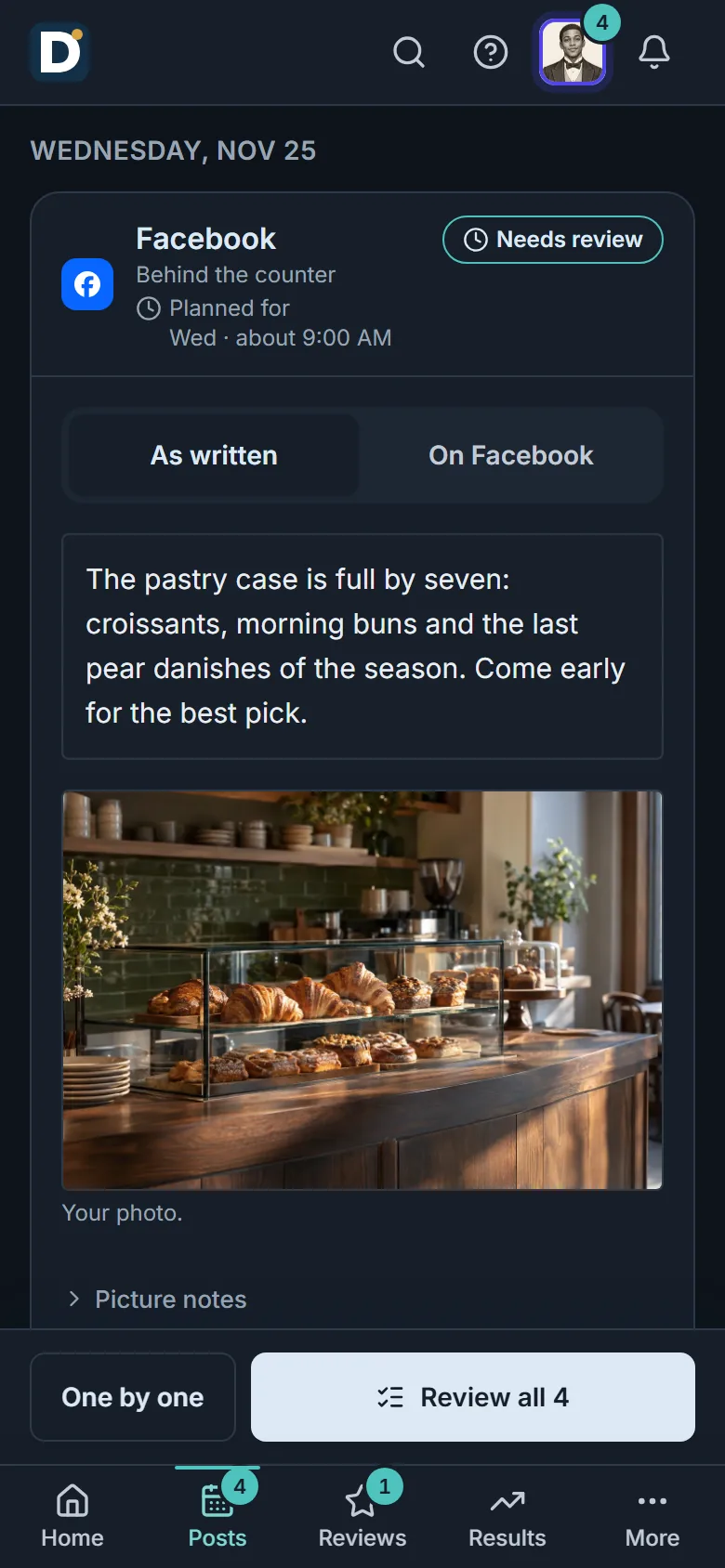
Your week of postsEach post shows its day, its network and what it needs from you. 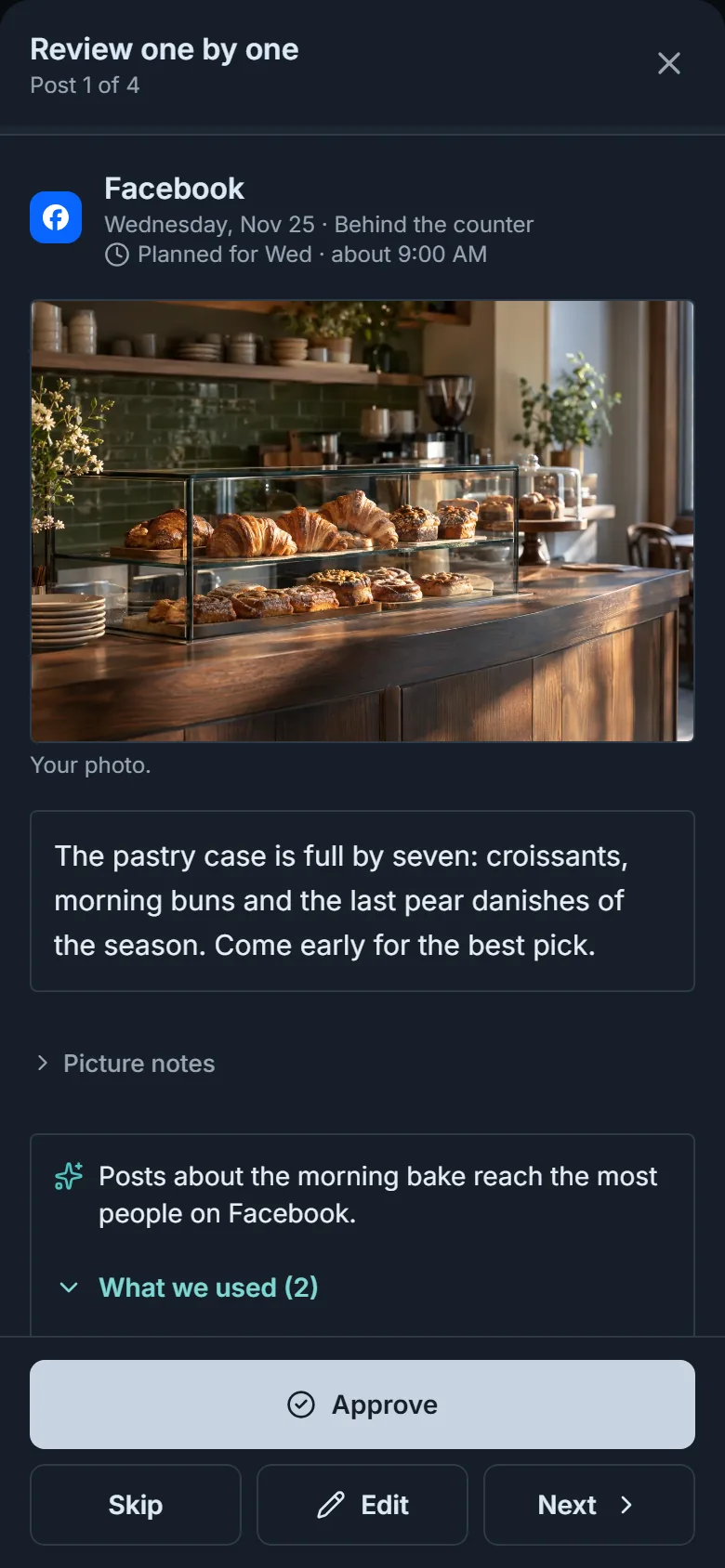
Approve what you seeYou approve the exact words and photo on screen. An edit needs approving again. 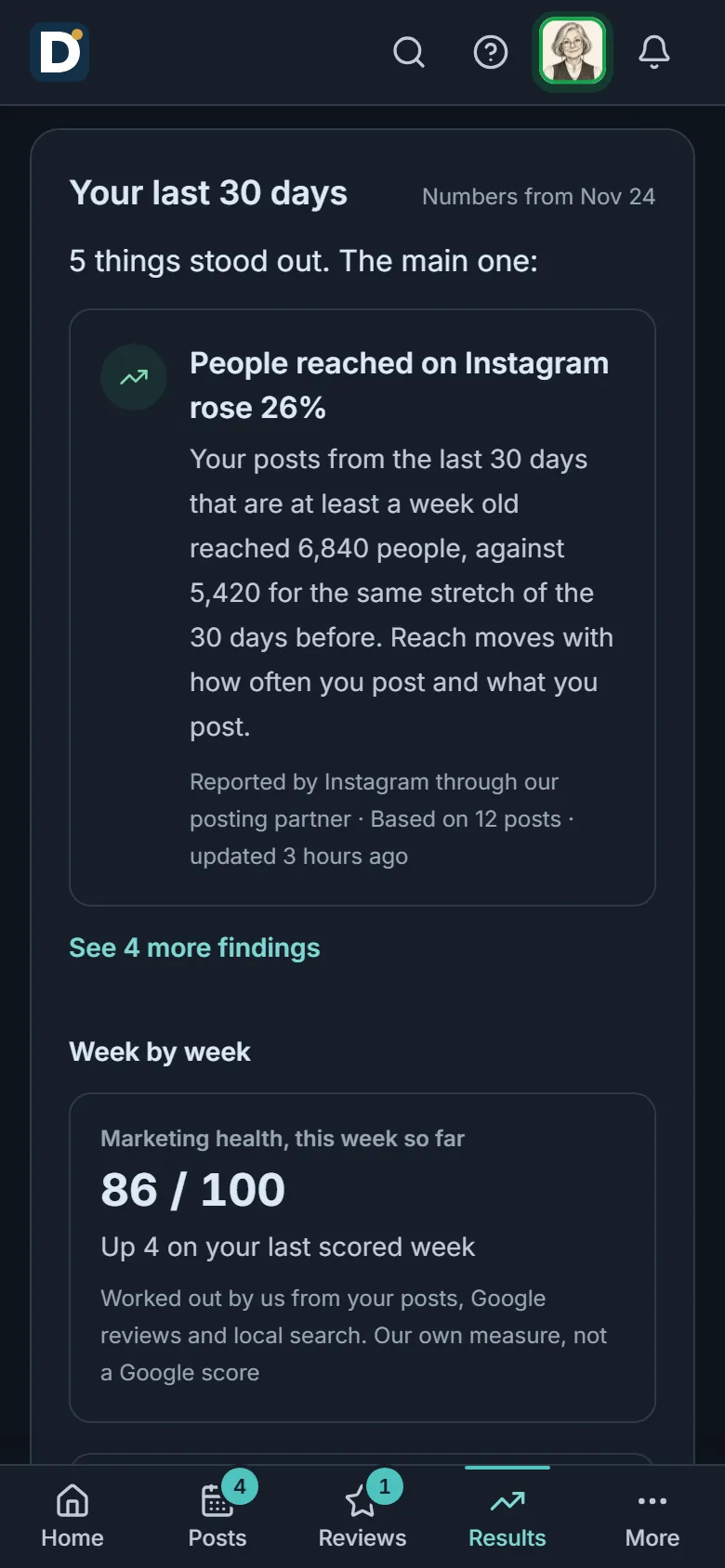
See how it wentEach finding names its source and how many posts it rests on.
See this week's posts
for your business
Set up your business, connect your accounts and review the posts written for you. Nothing is posted without your approval.
Start your free trial