Be the shop drivers trust
before something breaks.
For auto repair shops, detailers, tire shops and small dealers. Posts are straightforward, about car care and the signs that need a visit, and keep prices, warranties and vehicle details to what you confirm.
In setup, choose “Auto Repair or Dealer” as your industry.
Every business follows the same steps: set up, plan, write, approve and publish. See how it works
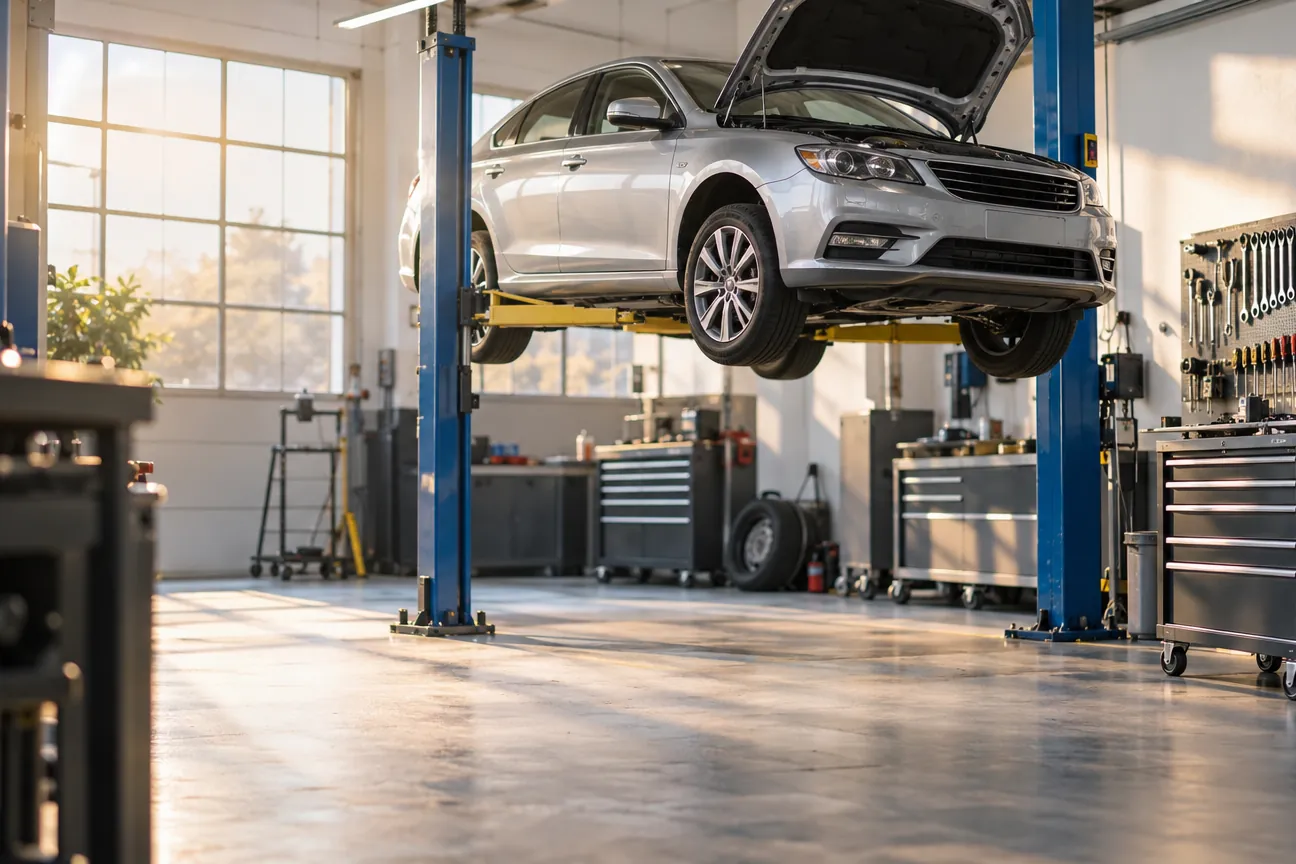
Your weekly plan
 Google Business Profile2
 Facebook3
 Instagram2
Posts a week by default
Sample pictures for invented businesses. The photographs are AI-made.
Which days are posts planned for?
Your weekly plan puts posts on Monday, Wednesday and Friday: 2 on Google Business Profile, 3 on Facebook and 2 on Instagram a week by default. Each one goes out only after you approve it. Your default posting time is around 8:00 in the morning, your time. Change how often you post on each network, your topics and your tone on the What to post page.
 Monday
Car care tips
Checking tire pressure when the temperature drops.
- Wednesday
What that noise means: common questions
Is a squeal when braking urgent? The signs that need a visit soon.
 Friday
Meet the team
A technician and the tip they give every driver.
Sample pictures for invented businesses. The photographs are AI-made.
See three sample posts for your own websiteFree, no account needed, and nothing is posted.
What do I approve?
- Every post, on every network, before it goes out.
- Prices, warranties and certifications: only from what you type in or facts you've confirmed.
- Replies to your Google reviews: you pick one of two drafts. Not available yet
How are posts written for auto repair shops and dealers?
- Straightforward and honest, like a mechanic people trust.
- Financing or lease mentions are flagged: mention them only if you offer them, and a payment or rate needs the full terms.
- We tell the writer to avoid words like "like new", "everyone approved" and "lowest price".
- If the writer ever invents a review, a quote or a star rating, a safety check stops that post from being approved.
How are Google reviews handled?
- Replies to new Google reviews are drafted for you to choose from. Not available yet
- Ask every customer the same way, with nothing offered in return.
- Review requests by email on Growth and Pro. Not available yet
Which networks should I connect?
Connect accounts on a secure page run by our posting partner, Ayrshare, so we never see your passwords. Connecting works today for every network below.
Google Business ProfileAvailable to connect
Where drivers search "near me" when a light comes on.
FacebookAvailable to connect
Where neighbors recommend a mechanic; planned on every posting day.
InstagramAvailable to connect
Detailing and work in pictures; every post carries one.
ThreadsAvailable to connect
Added to your weekly plan once you connect it.
BlueskyAvailable to connect
Added to your weekly plan once you connect it.


Not available yetBuilt, and being switched on with our first design partners.
PlannedNot built yet.
Inside the app
Real product, sample data.
Screens from the app, with sample data for an invented café.
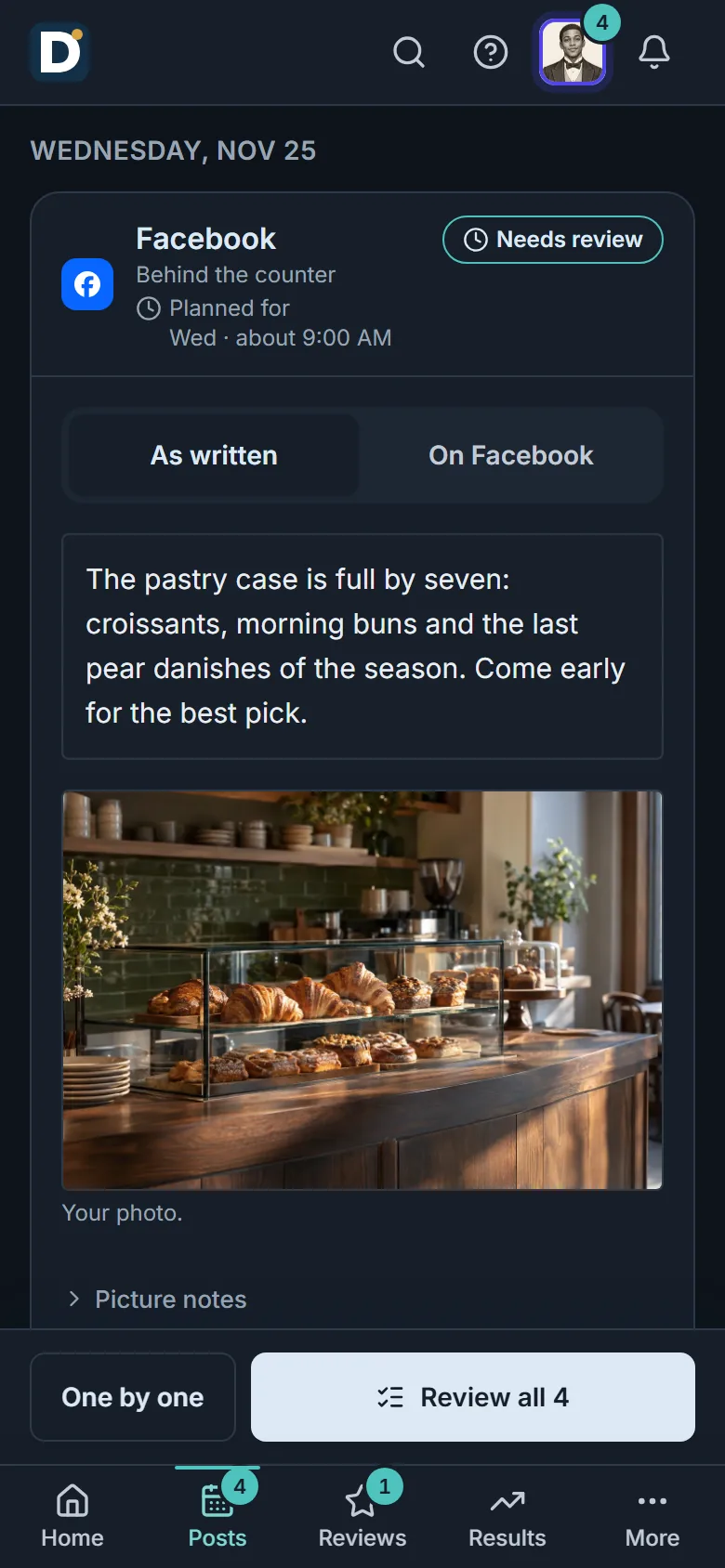
Your week of postsEach post shows its day, its network and what it needs from you. 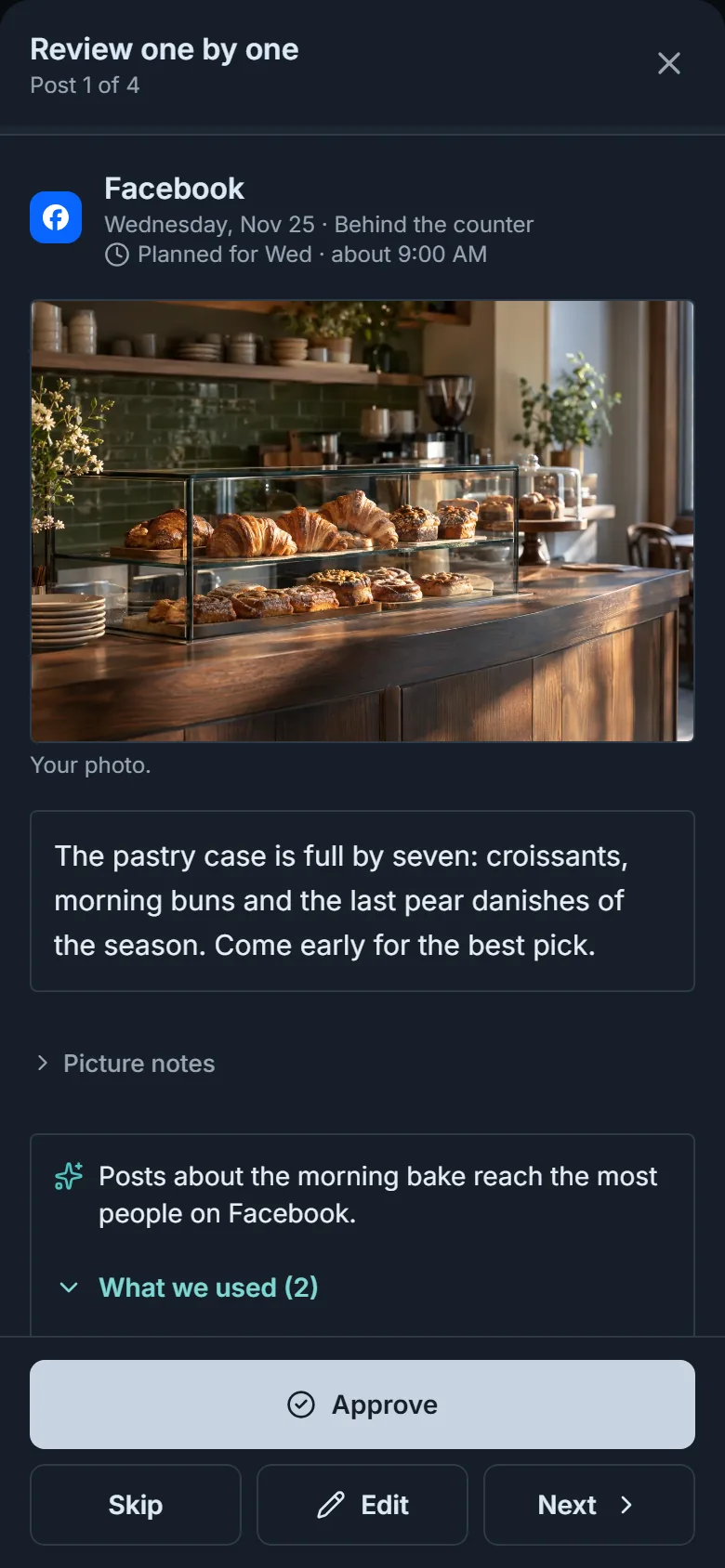
Approve what you seeYou approve the exact words and photo on screen. An edit needs approving again. 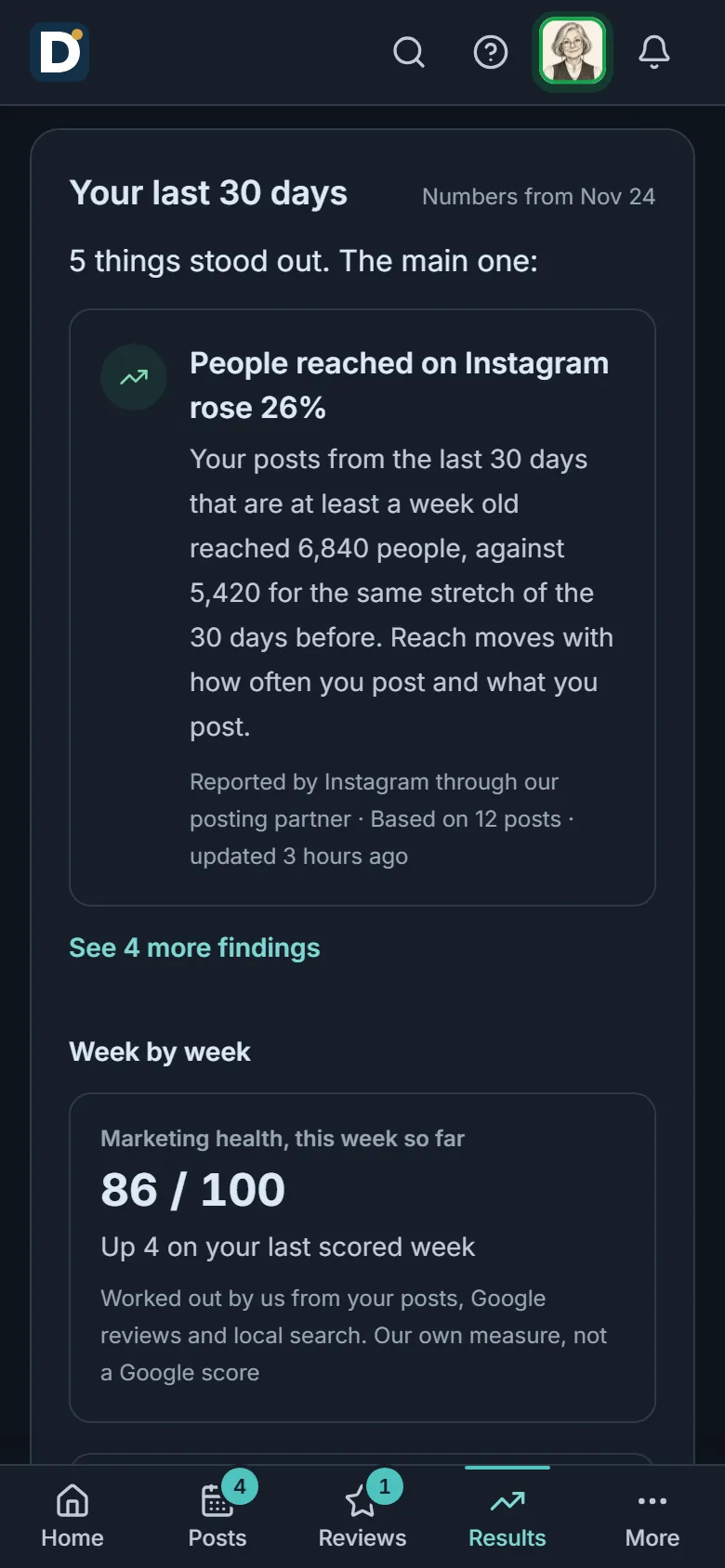
See how it wentEach finding names its source and how many posts it rests on.
See this week's posts
for your business
Set up your business, connect your accounts and review the posts written for you. Nothing is posted without your approval.
Start your free trial